If you've ever looked at your Qualys license count and thought "how did we hit our limit already?" - you're not alone. Licensing is one of those topics that seems straightforward until you're three months into deployment and suddenly find yourself scratching your head.
This guide breaks down how Qualys VMDR counts assets, and how to actually manage your license without surprises.
What is the Licensing Model?
Qualys VMDR is licensed per asset.
Important to note: Licensing is per asset, not per IP.
What Actually Counts as an Asset?
An asset is typically any device with an IP address. An asset could be:
- A physical server
- A virtual machine
- A workstation
- A network device (firewall, router, switch, load balancer)
- A cloud instance (EC2, Azure VM, GCP instance)
Key point: One asset with one IP address = one asset.
One asset with five IP addresses = one asset.
You're licensing the asset, not the addresses.
Licensing for Servers & Workstations
a. Agent-Based Licensing
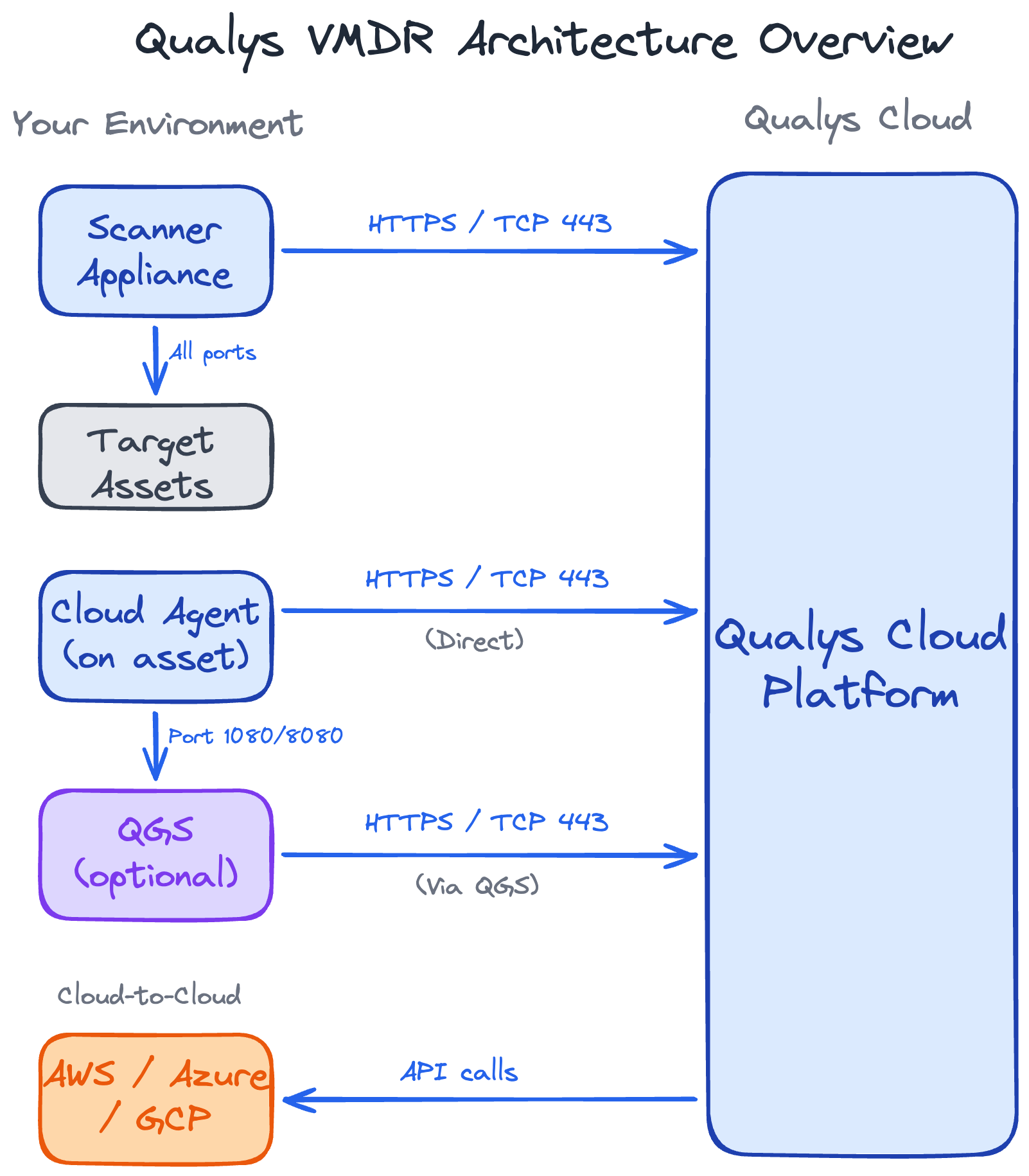
When you deploy the Qualys Cloud Agent to a server or workstation, the asset consumes one license.
- The license is tied to the asset, not the agent installation
- Agents continue consuming licenses even if they haven't checked in for months (until you explicitly remove them)
- If you're spinning up VDI instances from an image with the Cloud Agent installed, each instance consumes a license – even if they're short lived
b. Scanner-Based Licensing
For assets scanned with a scanner appliance (legacy servers, systems where you can't install agents), each asset consumes one license.
The gotcha: If you scan a device today, ignore it for six months, then scan it again - it's still consuming that license for the entire period.
How Merging Helps: Agent + Scanner = One License
With merging enabled, you can deploy agents AND run scanner-based scans on the same assets without double-counting licenses.
What is Merging?
When both an agent and a scanner detect the same asset, Qualys can "merge" these into a single record. This means:
- One asset scanned by both methods = 1 license consumed (not 2)
- You get the benefits of both: rich agent data + network-level scanning validation
- Your license count stays accurate
Without merging enabled:
Server: web-prod-01
- Cloud Agent installed → 1 license
- Also scanned by appliance → 1 license
Total: 2 licenses for one server ✗
With merging enabled:
Server: web-prod-01
- Cloud Agent installed → 1 license
- Also scanned by appliance → merged into single record
Total: 1 license ✓
When to use both Agent + Scanner
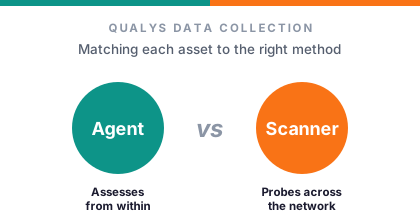
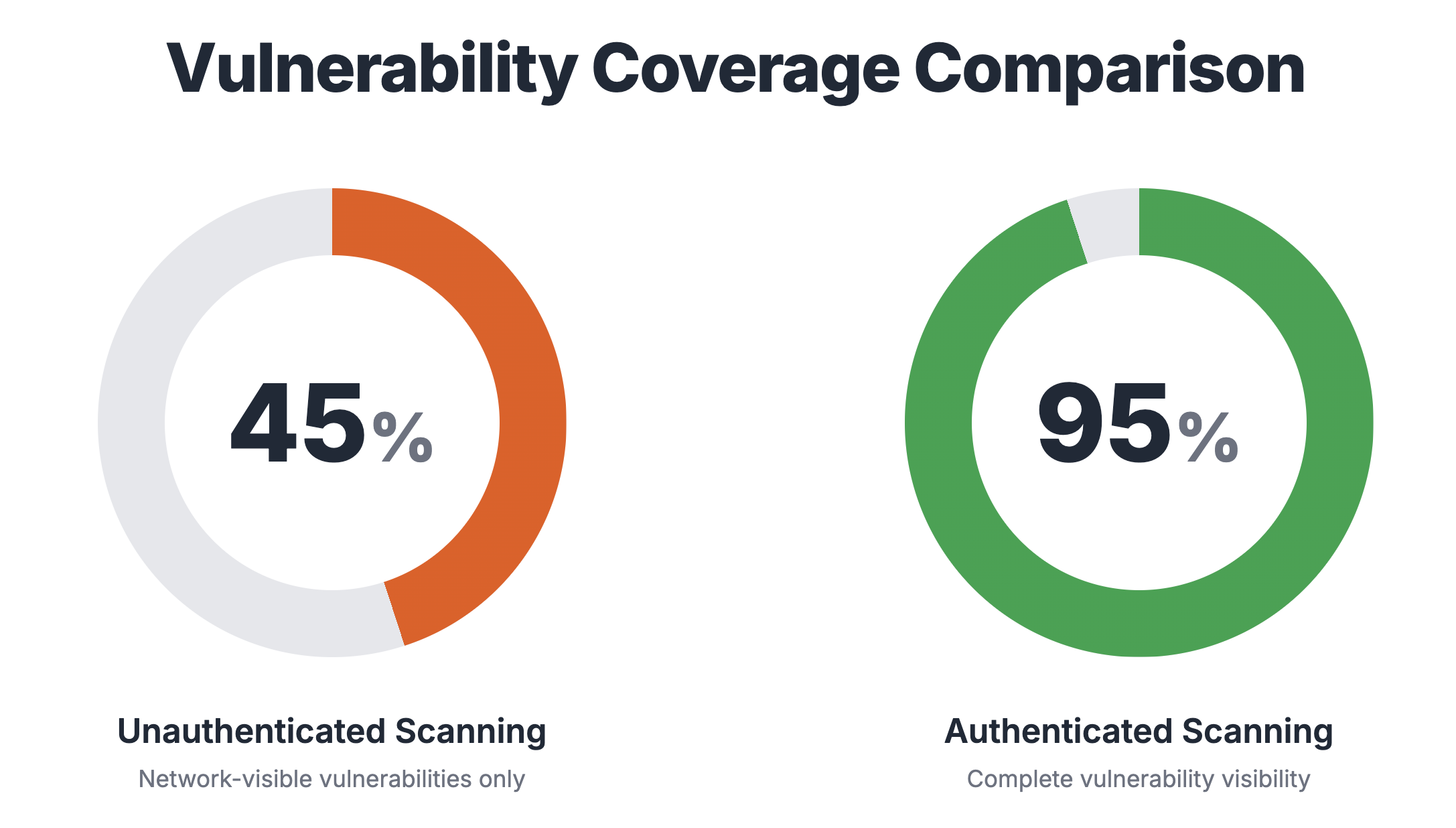
Using both agents and scanners is recommended for Servers and Workstations. Agents give you high fidelity data with near real-time visibility. Scanners provide external perspective and network-level validation.
Licensing for Network Devices
Network devices are where licensing gets tricky - and bloat occurs.
The Problem
Unlike servers where Qualys can intelligently correlate multiple IPs to a single asset, network devices don't have this same correlation ability.
A firewall with 10 interfaces:
- Scan only the management interface = 1 asset ✓
- Scan all 10 interfaces = 10 assets ✗
Each scanned interface creates a separate asset record in Qualys because the platform can't automatically merge them into a single device identity.
Why This Happens
For servers and workstations, Qualys uses:
- Unique host ID – when performing authenticated scans
- Correlation identifier – when performing unauthenticated scans on agent-installed assets
For network devices, these identifiers often don't exist. A firewall's inside interface, outside interface, and DMZ interface all look like separate devices to Qualys.
Recommendation
Scan ONLY the management interface of network devices.
Common Mistake Scenario
Scenario: You scan 10.0.0.0/8 for discovery
Result:
- Firewall management IP: 10.10.1.1 → 1 asset
- Firewall inside interface: 10.20.1.1 → 1 asset
- Firewall outside interface: 203.0.113.1 → 1 asset
- Firewall DMZ interface: 10.30.1.1 → 1 asset
Total: 4 licenses for ONE firewall
How to Fix This
- Scope your scans carefully - exclude traffic interfaces from vulnerability scans
- Regular audits - look for duplicate network device entries with similar hostnames
- Work with your network team - get a list of management IPs and only scan them
Common Surprise #1
You have 50 switches with 8 interfaces each. You've scanned your entire network range thinking "it's all the same device." That's 400 licenses, not 50.
Fix: Audit your network devices, delete duplicates, and rescope scans to management interfaces only.
Does Discovery Count Against Your License?
When you run a discovery scan, Qualys finds assets but doesn't automatically add them to your licensed count. You choose what to bring into your managed inventory by deploying an agent or scanning it with an appliance for vulnerabilities.
An asset consumes a license when:
- You run a vulnerability scan against it with an appliance
- An agent checks in from it
How to Audit Your License Usage
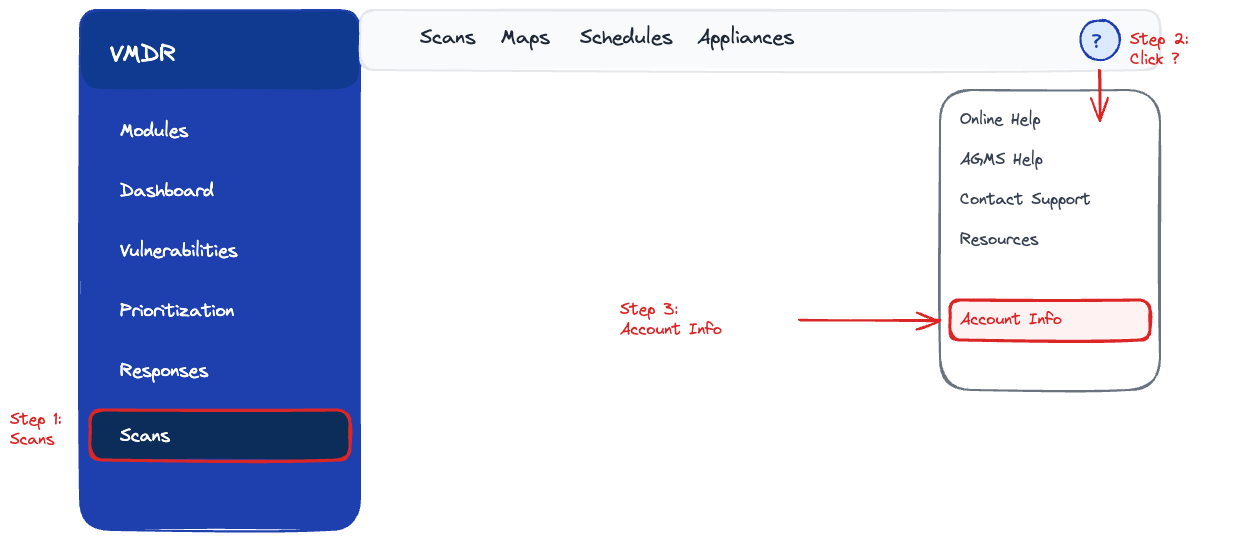
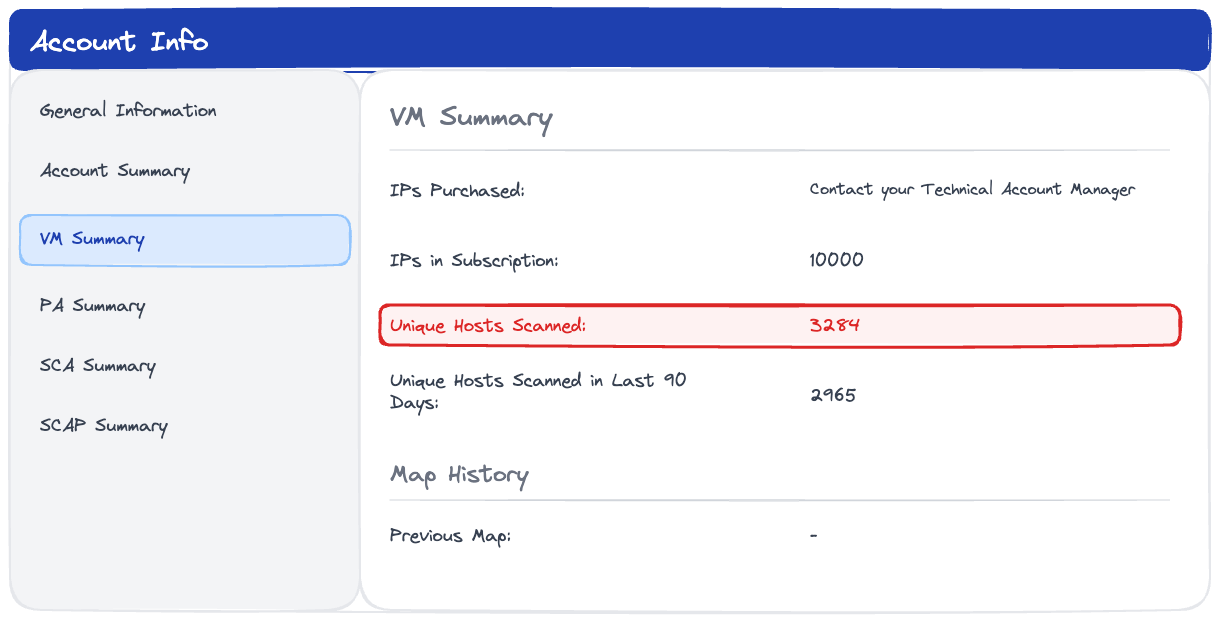
1. Identifying your IP-scanned count
Go to VMDR > Help > Account Info > VM Summary
Look for "Unique Hosts Scanned"
2. Identifying your agent-scanned count
This is the count of assets you see under the Cloud Agent module.
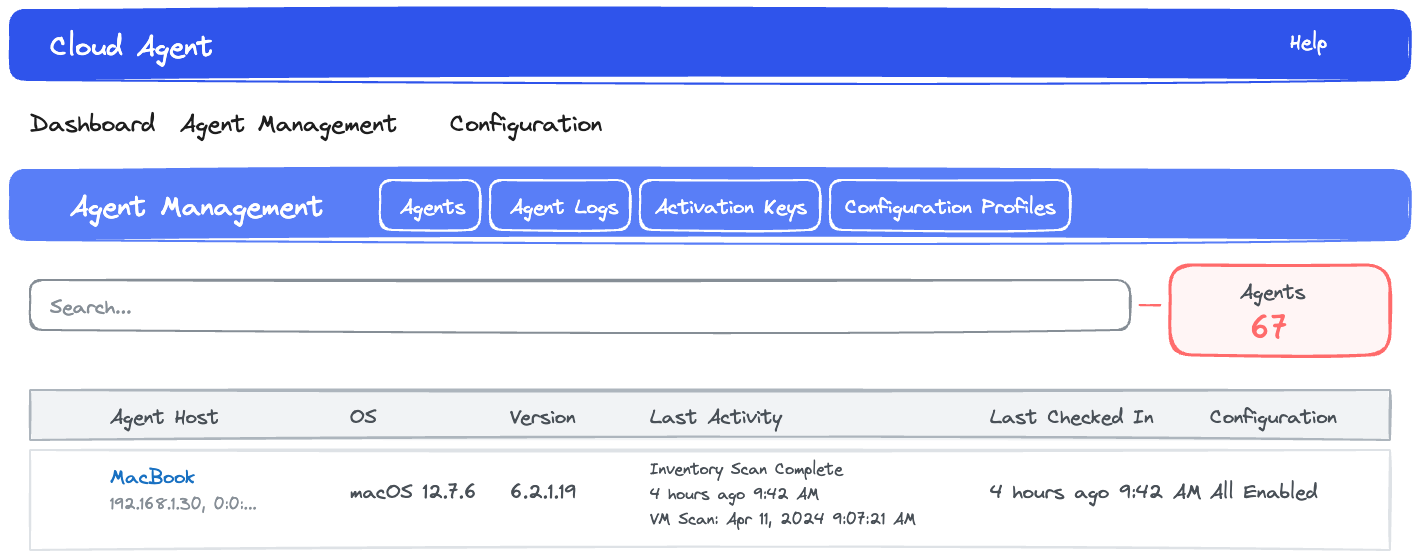
However, your total usage isn't the combination of IP-scanned and agent-scanned count. This is because you are likely to have assets that are scanned using both methods.
3. Identifying your total usage
Run this query from GAV or CSAM with filter set to "All Time":
asset.inventory:(source:`IP Scanner` or source:`SCANNER` or source:`Cloud Agent`)
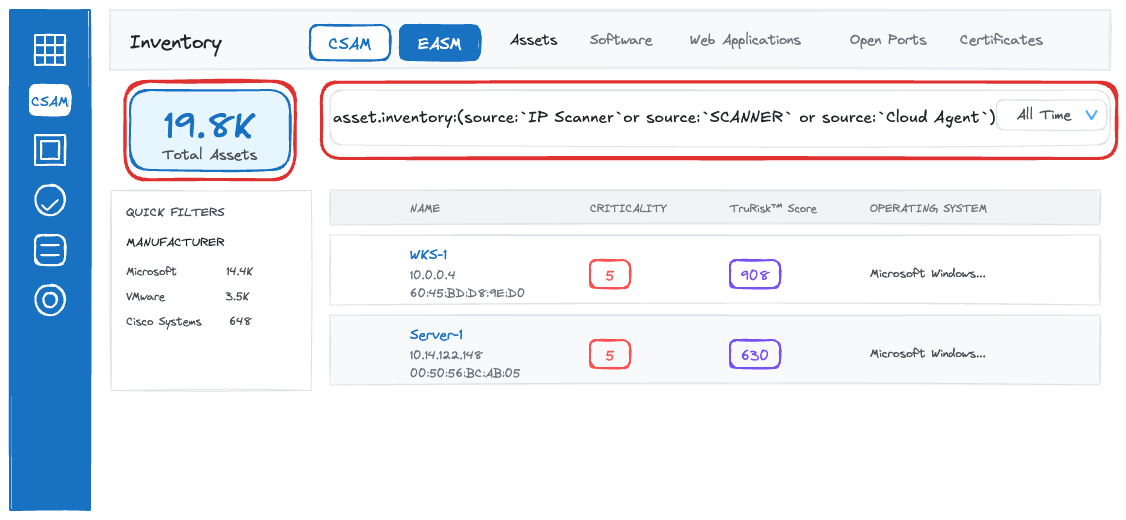
Or use this API call:
POST https://qualysapi.qualys.com/qps/rest/2.0/search/am/asset
Documentation: Qualys Asset Management API
What it returns:
- All host assets (servers, workstations, network devices)
- Both agent-based and scanner-based
- Last seen dates
- Tracking methods
- Tags and metadata
Sample Query:
# First, authenticate and get JWT token
curl -X POST \
  'https://qualysapi.qualys.com/auth' \
  -H 'Content-Type: application/x-www-form-urlencoded' \
  -d 'username=YOUR_USERNAME' \
  -d 'password=YOUR_PASSWORD' \
  -d 'token=true'

# Then, fetch assets (returns 300 assets per page)
curl -X POST \
  'https://qualysapi.qualys.com/qps/rest/2.0/search/am/asset?pageSize=300' \
  -H 'Accept: application/json' \
  -H 'Authorization: Bearer YOUR_JWT_TOKEN' \
  -H 'Content-Type: application/json' \
  -d '{}'
Optimization Tips
1. Clean Up Regularly
Set a quarterly reminder to:
- Remove decommissioned assets
- Delete duplicate entries
- Purge stale assets – use purge rules to automate
2. Monitor Short-lived Assets Carefully
- Enable auto-cleanup for terminated cloud instances
- Review your VDI (Virtual Desktop Infrastructure) usage
3. Agent or Scanner Strategy
For full coverage of QIDs and high quality data, use both agents and scanners.
With merging enabled, Qualys will merge these into a single records, meaning only one license consumed.
Need License Help?
Your Qualys TAM or AE can:
- Pull historical license consumption data
- Help identify duplicate assets or licensing bloat
- Provide contract-specific guidance on grace periods and overages
- Recommend right-sizing strategies based on your usage patterns
Don't hesitate to reach out - they'd rather help you optimize than surprise you at renewal time.
Final Thoughts
Qualys licensing isn't complicated once you understand the core principle: assets, not IPs.
The challenges come from:
- Duplicate assets - easily the #1 source of license bloat
- Network devices – multiple interfaces count as multiple licenses
- Asset hygiene - decommissioned systems lingering in your inventory
- Cloud and VDI sprawl - ephemeral instances and auto-scaling without cleanup
- Poor visibility - not knowing your true consumption until renewal time
The good news? With quarterly audits and proper scan scoping, you can keep your license count accurate and avoid surprise overages.
What to Do Next to Get Your True License Usage
- Cleanup your decommissioned and duplicate assets
- Audit your network device scans (are you scanning management interfaces only?)
- Purge terminated ephemeral instances
- Set up a quarterly cleanup reminder
- Bookmark the GAV/CSAM query and API endpoint for regular checks
Found this useful? Share it with your team.