The Short Answer
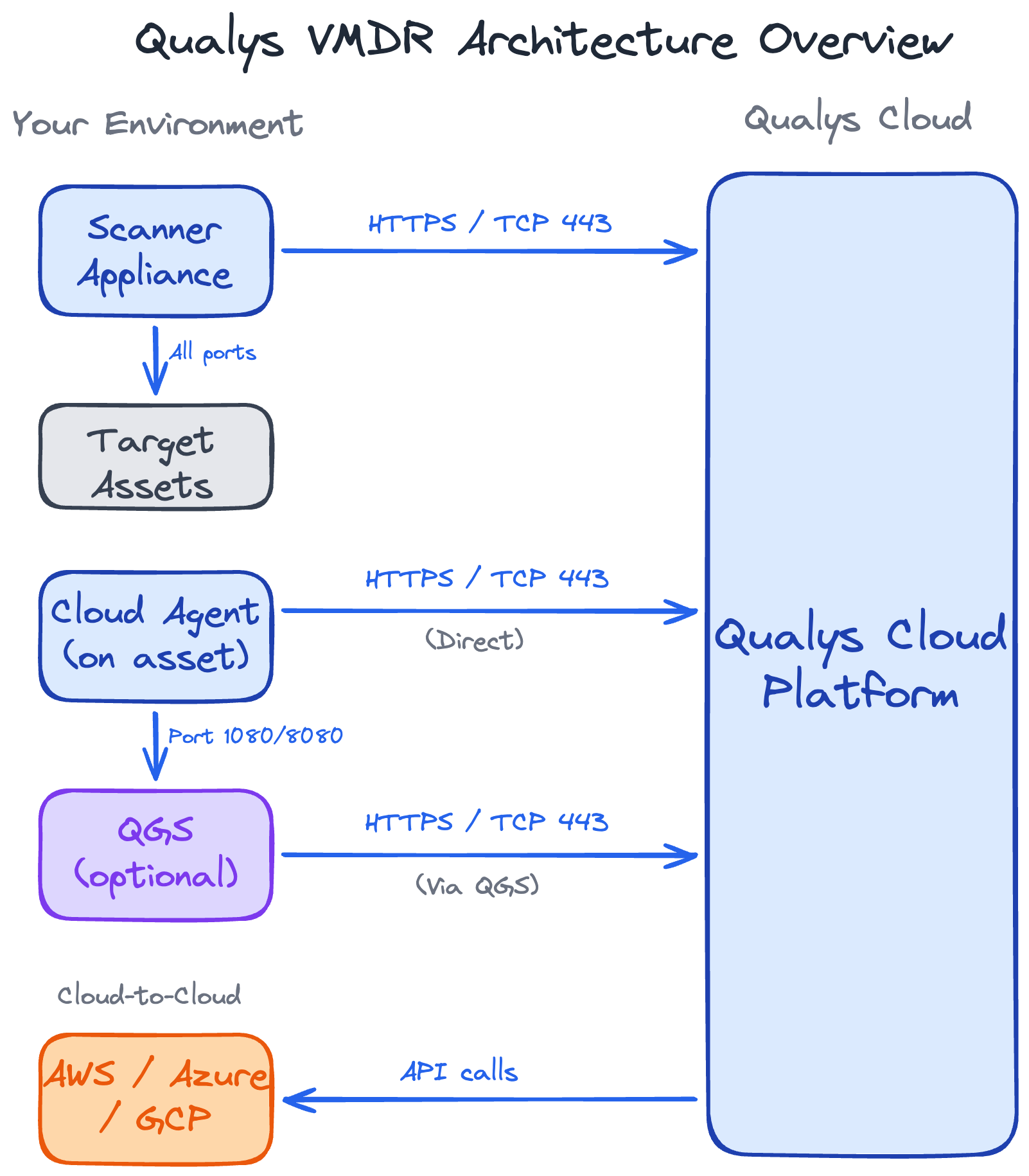
If you're trying to decide between Qualys Cloud Agents and scanner appliances, the honest answer for most organisations is both. They're not competing options where you pick a winner - they collect data in fundamentally different ways, and each covers ground the other can't reach.
The real question isn't "which one," it's "which method for which assets."
A laptop that roams between home and office needs an agent. A network switch can't run one, so it needs a scanner. Most environments have both kinds of assets, which is why most end up running both methods.
The rest of this guide is about making that decision: matching each part of your estate to the right collection method, understanding the trade-offs, and running them together without tripping over licensing, duplicate findings, or wasted scan effort.
How They Collect Data
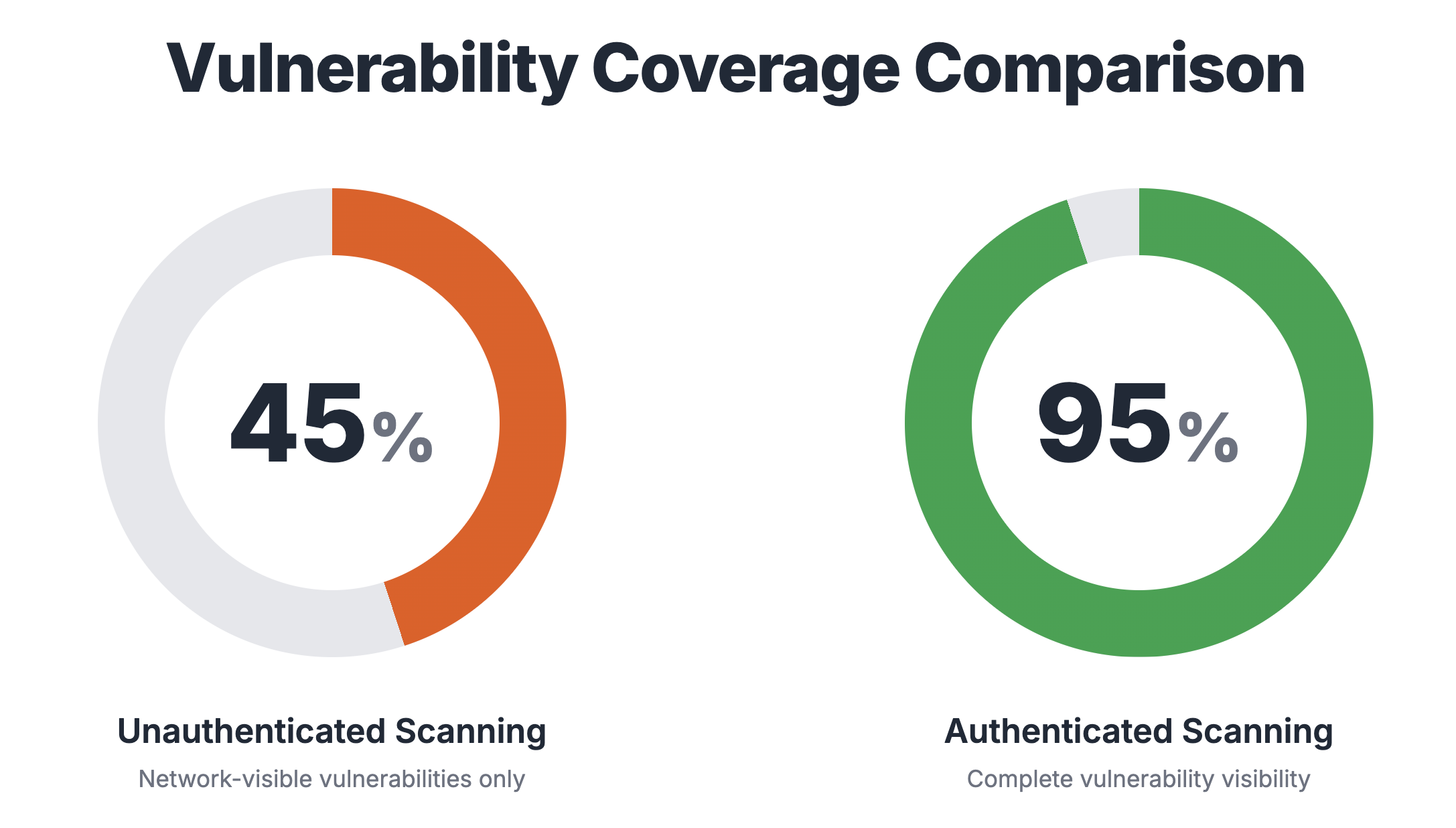
The agent assesses a host from the inside, while the scanner probes it from across the network. What each one can see follows directly from where it sits.
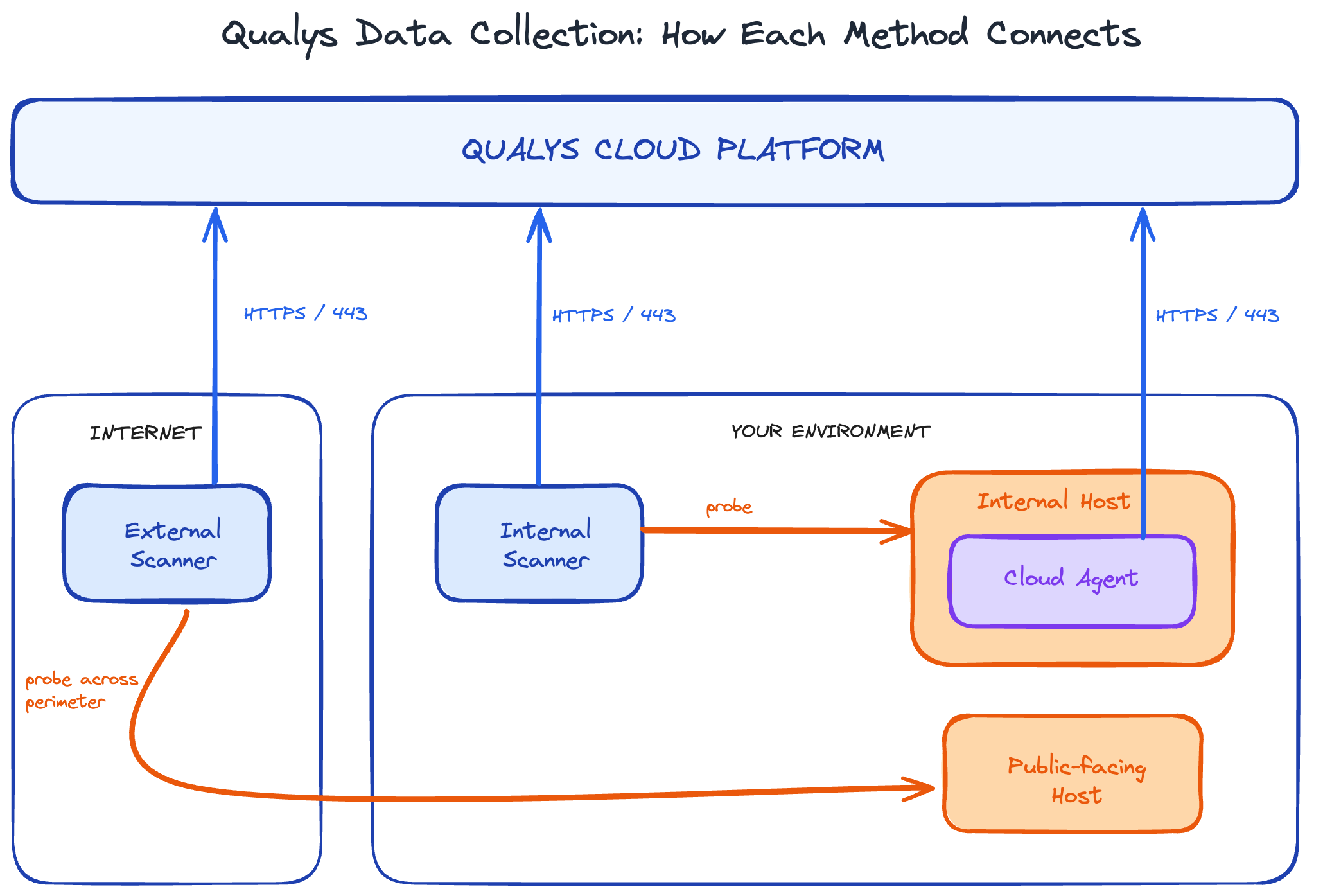
The table below breaks down what that difference in vantage point actually means in practice.
Agent Utilization
A common question when deploying agents is: how much resource is it going to consume?
The Cloud Agent runs as a low-priority background service, collects only metadata, and throttles itself to avoid competing with the workloads that actually matter. As a result, the agent has very low CPU and bandwidth requirements.
For the agent, you can control:
- Collection and upload intervals - how aggressively the agent collects and uploads data to the cloud.
- CPU throttling - a ceiling on how much processor the agent will use for its activities.
- Performance level - an overall intensity setting that governs how aggressively the agent operates: check-in frequency, data collection, logging detail, and resource use.
Exact resource consumption depends on how you've tuned the above parameters and what modules you've enabled on the agent.
If you need exact utilization numbers, your Technical Account Manager can provide a whitepaper.
Takeaway: agent impact can be controlled by tuning these parameters and should not be a reason to avoid agents.
Which Method for Which Assets
Start from the asset, not the tool. Here's how the common categories map to collection methods.
Making Agents and Scanners Work Together Efficiently
When running both agents and scanners, pointing both at everything isn't efficient.
If a host already has an agent deployed, scanning it with an appliance for detections the agent already covers adds unnecessary load and produces duplicate findings you then have to reconcile.
The principle is simple: scan for what the agent can't see, not for what it already covers.
- For assets covered by an agent, scope your appliance-based scans to only cover what the agent can't assess - for example, remote-only detections such as SSL/TLS issues. Build a search list of the detections the agent already handles and exclude it from your scan option profiles, so the appliance isn't duplicating effort.
- For assets an agent can't cover, run full scans. Network devices and anything agentless need the appliance to do the complete job.
For hosts that are scanned using both the agent and the appliance, use Asset Merging to reconcile the detections into a single record.
We'll cover Asset Merging in a dedicated guide later.
Deployment, Cost, and Licensing Considerations
A few questions come up once you've decided what to run where: how you roll each method out, and what it costs you in licenses and infrastructure.
Deployment
Agents are deployed at scale using packaging tools such as Intune, SCCM, and JAMF - or baked into your cloud images so every new instance has the agent pre-installed.
Scanners are infrastructure. Each one is a virtual appliance you stand up on a hypervisor, or a physical unit in the data centre. With scanners, sizing matters: how many you need depends on how many assets you want scanned and how quickly.
Cost
Agents carry no infrastructure cost - they run on hosts you already own. On-prem scanners are much the same; they consume VM resources on hypervisors you're already running, which is effectively free.
However, there are cost considerations for cloud-hosted scanners: you incur compute and storage charges while they're running.
Licensing
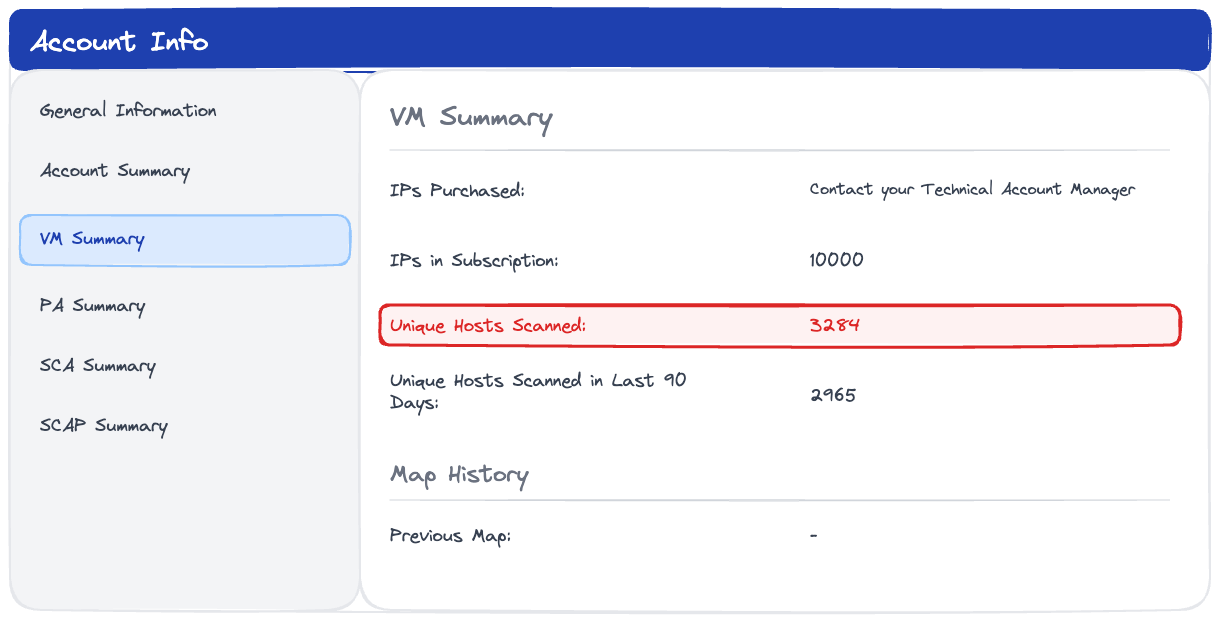
Each deployed agent consumes a license.
Agents on decommissioned hosts also consume a license until they're purged.
Scanner appliances are different. In enterprise subscriptions you can deploy as many as you want - the scanners themselves don't count against anything.
What does count is the assets you scan with them: a scanned asset consumes against your licensed count the same way an agent-covered one does. So the appliances are unlimited, but the coverage they provide isn't free of licensing.
Final Thoughts
Cloud Agents and scanner appliances see different things from different vantage points, and covering an asset properly could mean using more than one method, not picking between them.
For most of your estate - servers and workstations - that means running both: the agent for depth and continuous reporting, the scanner for the network-facing view the agent can't see. Network devices, which can't run an agent, are covered by scanners. OT/IoT is assessed passively.
Start from the asset, not the tool. What it is, and where it sits, tells you how it should be assessed.